Search This Blog

Showing posts with label HTML. Show all posts

Monday, July 23, 2012

Reading in CODE

I have mentioned before things that will make you a better coder and this is just another tip on what you can do to improve your coding abilities.

There are many websites out there that have some really advanced coding, stuff that can make you feel like you have no idea what you are getting yourself into (trust me I know the feeling) and half the time when you view the source for the site you get lost and end up convincing yourself that you suck.

Recently I have noticed that coding and performing things that is unusual is actually not that hard. Reading the source code can be difficult sometimes but there is a reason why it is difficult and here are some of those possible reasons.

  1. You don't know the language they are using
  2. It looks so cluttered it frightens you away
  3. There are multiple sources
  4. Finally, there are hundreds of classes, ID's, NAMES, Tags, functions, variables, etc.
I'm going to take you step by step and hopefully help you guys out so you can read these source codes and learn a bit more about coding.

1. You don't know the language they are using
This one is simple but not easy or fun but if you really want to understand what they are doing with this mysterious language you must first learn what the language is by just Google searching one of the tag names or something you see commonly used in the source. 
Second you must become familiar with the Syntax in order to understand anything that is going on. This one may be the hardest only because it's a whole new language that you have to master in order to perform something you like on the website
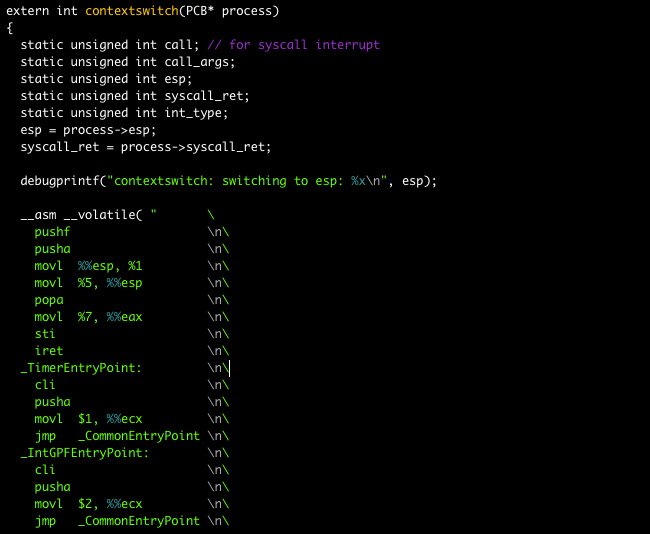

2. It looks so cluttered it frightens you away.
When I first saw Javascript it looked like this 

Which nearly scared me away thinking "How the hell am I going to ever be able to understand this!?" Well the truth is that I really had to concentrate on the code itself and not the code as a whole. It would take hours to understand but if you go through it you can see little things that link together and it makes complete sense after a while. You still need to know the Syntax first!

What you can do to make it easier for you is to copy the code into a text pad like Notepad++ , set the language to Javascript (or whatever language you are having trouble with) and it will highlight and color the text differently which will make it easier to see what connects with what.

3. There are multiple sources.
Honestly I hate going through sources and seeing there are 20 different Javascript files, and 10 different Style Sheets, not to mention the 4 ASP and PHP files! It can really drive a guy mad... Now I'm not saying it's not useful when making a website just a pain in the butt when reading the source. 

The best way to get through it is to copy the codes into Notepad++ and connect the files together yourself, this way you see which files are being used where and why. I know it will take forever but no one said programming and developing was easy. Another thing you can do is open all the sources and read them, when you see something called from another source just read where it's calling from and what it's supposed to be doing. This has got to be the most tedious thing about learning new things in programming.

4.Finally, there are hundreds of classes, ID's, NAMES, Tags, functions, variables, etc.
Even though it's not always necessary people prefer to have a class just for the height of a div to be 200px and another class for it's width, another for it's position, and so on.

This really sucks for the reader because you have to go back and read what each class is doing for each element, however, although this is very difficult to read I do find it easier to code through classes rather than through individual ID's and when using Variables it's easier to have a variable for every aspect of the element or function than to rewrite everything. 
Again, using Notepad++ to read each class, element, tag, variable, function, etc. 

---------------------------------------------------------------------------------------
Open Source is the not only the best way to go but the only way! I know there are a lot of people out there that want to steal the code and gain profit from it for themselves but that's why you use different sources for one code, you have multiple classes, variable, tags, etc, and that's why make the entire thing cluttered which makes it hard for those thieves to steal the code. This makes it hard to everyone but is still considered open source. 

Thanks for all the love guys don't forget to subscribe, check out the Youtube, Facebook, and Twitter @DLCSpencer

Love you guys check back soon for more updates and videos!

Monday, July 16, 2012

Best Coding Languages to Know

Languages both for programming and for web development are all necessary and are at the same time awesome. But which ones are the ones you should learn first? What order should you learn them to effectively become an awesome developer? Well here we go this list will help everyone know which language to learn when.


1. HTML (Hyper Text Markup Language)
This is the very first language you should learn in order to build websites and it the most common and most demanded. If you go into an interview for building websites but you don't know HTML you will never get the job. With the creation of HTML5 we are seeing things like Canvas which can be used to draw images using code.


2. CSS (Cascading Style Sheet)
This is the best way to style your websites to give the specific flare required to make a website look awesome and keep your viewers interested. It can also add hover effects and is now able to create animations with CSS3 this will make any website look much more professional.


3. PHP (Hypertext Preprocessor)
Originally made for building websites but can be used for gathering info from the user, generating dynamic content, and sending/receiving cookies. (I personally am learning this still but haven't needed it enough to get the entire language memorized.) This will be useful for everyone who wants to have a user based website or wants to have form information received and stored into the server


4. Javascript
An amazing language that is used for dynamic content. I suggest learning this language before any programming language because it's a nice introduction to the programming side of coding. Containing variables, functions, if/else statements, while statements, and more, Javascript makes nearly anything possible with web development. 


5. Java
After learning Javascript you learn quickly the syntax needed to create Java programs. Java and Javascript are two different languages but have similar syntax which means you will learn quickly. Java is a powerful programming language that could be used for created nearly any type of program and is one of the most requested languages for programmers, why? because it can be used on nearly every single device so long as it jas Java downloaded onto it.


6. C++
This is another programming language that is used solely on it's own. This language can do anything you need it to so long as you understand the syntax. One of the most powerful languages you will ever learn. It is an update to C which is also very powerful. Learning both is smart but C++ is much more commonly used not to mention it's very fast.


7. Actionscript (used in Adobe Flash)
I know that most people learn this language earlier on and the only reason I'm putting it last is because you have to pay for it and it is much less practical to the common programmer just starting out without the ability to pay for a powerful program such as flash.
However with that aside this language is very powerful and can create some of the coolest effects you will see in coding because it is rooted into Flash.


Thanks for reading guys be sure to check back every week for new blogs and videos if you have anything you think I should go over feel free to post it in the comments.

Friday, July 6, 2012

Thinking of the Future

So lately websites haven't really changed too much over the past three or four years. I noticed how quickly it went up while during the 2000's but it hasn't really changed the web layouts, or designs very much. So here is an idea, we need to stop looking at the blank white page seeing something 2d when really it is an empty room that can reach miles deep.

I will be creating a 3d web layout that will hopefully catch on because it is time for some changes to the way we browse the web. Everyone has been focusing on tablets and Applications but not so much the layout of the web itself. It's time for a change.

I will post a video sometime soon of me coding the page and showing the example of how I feel websites could be created in the future.

If you want to see the website and explore it yourself when it is finished click the donate button to help me build a website. Blogger really limits the coding I could place in here so there isn't much I can show you at all. 

This was all just a thought so let me know what you think in the comments. Check out the Youtube Channel (link below), like and subscribe to the channel for more updates and videos


Also for daily tips, quotes, or pictures of either Design or Coding follow me on twitter @DLCSpencer